
The assistant opens with the button at the top right. Write to it in plain words, as you would to a colleague.
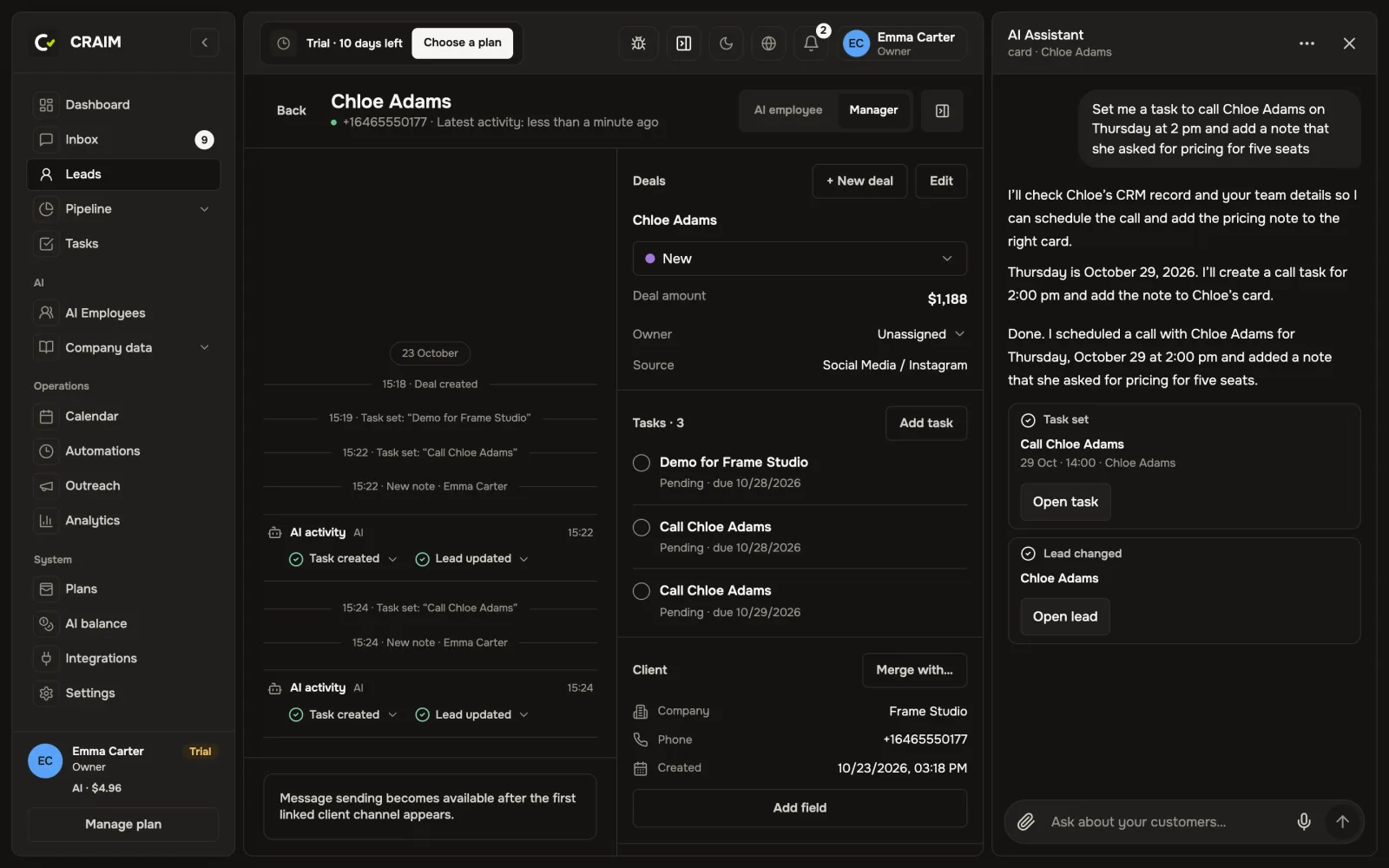 The assistant set a task and showed the client's card
What it can do
- Find a client, a deal or a task: "Find Anna Smith".
- Count: "How many new leads came from Instagram this week?".
- Do things for you: "Set me a task to call her back on Monday at 10:00", "Add a note that she wants a discount".
- Show a report: revenue, the work of the team and of AI employees.
- Manage AI employees and rules: "Pause Anna", "Switch off the reminder rule".
Before deleting anything or changing important settings, the assistant asks you to confirm with a button.
What it does not do
The assistant does not write to clients and does not read the conversations with them. Clients are answered by AI employees and your team.
Everyone has their own conversations with the assistant. Start a new one or open an old one in the "…" menu at the top of the panel.