
Everyone who wrote to you or called you is a lead. A lead's card holds the whole history with them: messages from WhatsApp, Telegram, email and your website, calls, notes, tasks and files. No more looking for a conversation across different apps.
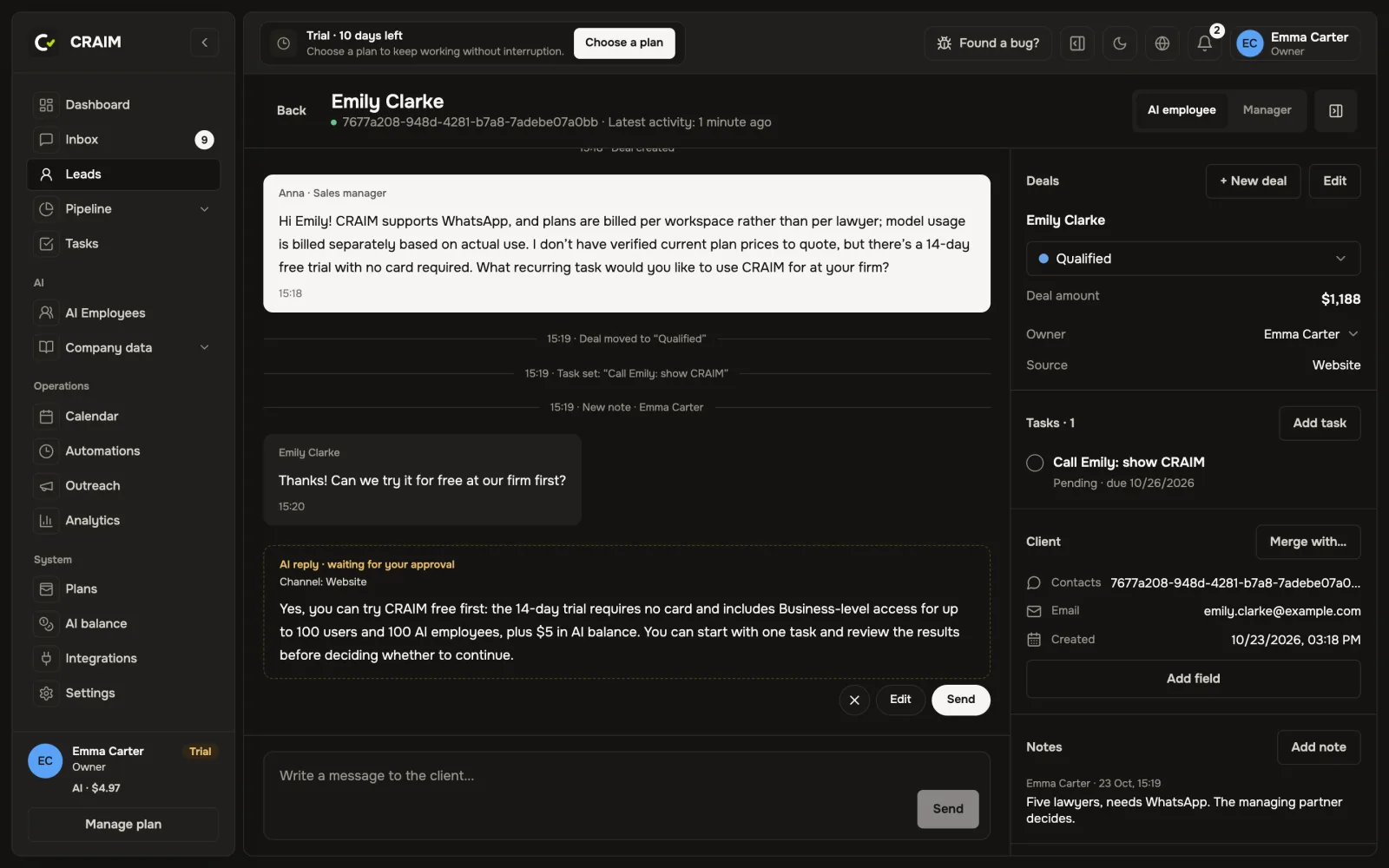 A lead card with the conversation and the panel on the right
A deal: what the client wants to buy
If a client first booked a consultation and came back a month later with a new question, they have two deals. A lead can have any number of deals, and the conversation stays one.
A new deal opens by itself when the client writes to you, calls or leaves a request on your website. To add one by hand, press "+ New deal" on the card.
How to move a deal
Every deal sits on a pipeline stage, named the way you named them: "New", "Consultation", "Contract". Move it when something really happened. If the deal did not work out, move it to the lost stage and give the reason. Later your reports will show why clients leave.
One person wrote from two numbers
It happens: a client wrote to your WhatsApp from a work phone and then from a personal one. Open one of the cards and press "Merge with…". The conversations, deals and tasks come together in one card. If an AI employee notices that a phone or email already belongs to another client, the card suggests merging them.
Notes, tags and fields
- Notes in the right panel: everything your team should know about the client.
- Tags: any labels, such as "VIP" or "returning". You can filter the list by them.
- Your own deal fields: such as "City" or "Service type". Add them right on the card with "Add field".
Who answers the client
Each pipeline says who looks after its clients: an AI employee or people only. At the top of the conversation you see who answers now. To answer yourself, switch it to the manager: AI stops writing to this client until you hand the conversation back to the AI employee.